
Veo 3 vs Kling 3.0 2026: Quality, Native Audio, Camera Control & Value
Updated Veo 3 vs Kling 3.0 comparison covering quality, native audio, camera control, pricing, and workflow fit.
Emma Chen · 17 min read · Apr 1, 2026
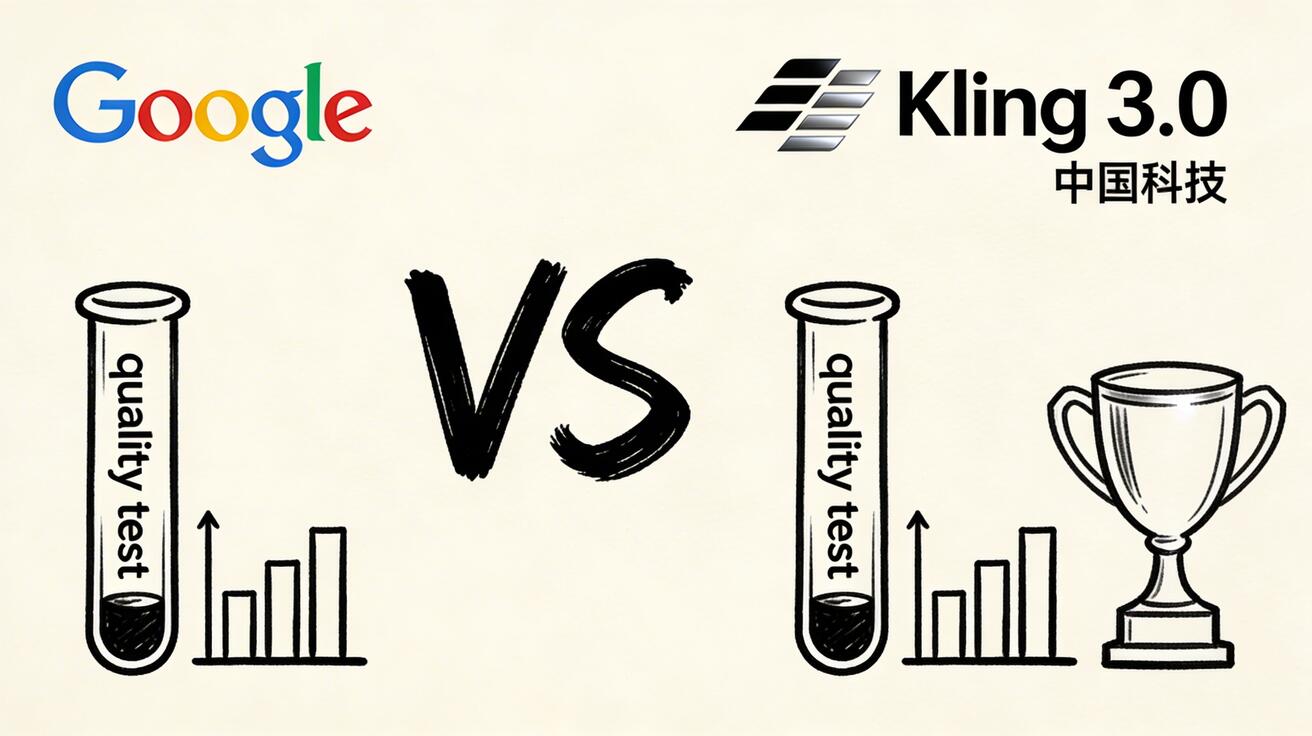
2026 routing note: This page covers the broader Veo 3/Kling comparison. If you specifically need the newer
Kling 3.0 vs Veo 3.1angle, start with Kling 3.0 vs Veo 3.1 2026.
May 2026 update: May 2026 update: refreshed for Kling 3.0/native audio/camera-control intent without creating a duplicate Kling comparison article.
Two of the most capable AI video generators in 2026, Google's Veo 3 and Kuaishou's Kling 3.0, serve different use cases better than any other tools available. We spent three weeks
Quick Answer: Veo 3 vs Kling 3.0 (2026): Deep Comparison — Quality, Speed & Value — both tools offer strong AI video capabilities, but the best choice depends on your workflow, budget, and specific output requirements. Read our full comparison for a detailed breakdown.
running head-to-head tests to give you a complete, honest comparison.
Quick Verdict
| Category | Veo 3 | Kling 3.0 | Winner |
|---|---|---|---|
| Overall Quality | ⭐⭐⭐⭐⭐ | ⭐⭐⭐⭐ | Veo 3 |
| Human/Face Quality | ⭐⭐⭐⭐ | ⭐⭐⭐⭐⭐ | Kling |
| Motion Realism | ⭐⭐⭐⭐⭐ | ⭐⭐⭐⭐ | Veo 3 |
| Landscape/Nature | ⭐⭐⭐⭐⭐ | ⭐⭐⭐ | Veo 3 |
| Generation Speed | ⭐⭐⭐⭐ | ⭐⭐⭐ | Veo 3 |
| Free Tier | ⭐⭐⭐⭐⭐ | ⭐⭐⭐⭐ | Veo 3 |
| Clip Length | ⭐⭐⭐⭐ (8s) | ⭐⭐⭐⭐⭐ (10s) | Kling |
| English Interface | ⭐⭐⭐⭐⭐ | ⭐⭐⭐ | Veo 3 |
| Music Sync | ❌ | ✅ | Kling |
| Price/Value | ⭐⭐⭐⭐⭐ | ⭐⭐⭐⭐ | Veo 3 |
Overall Winner: Veo 3 for most users. Kling wins specifically for content featuring people.
Background
Google Veo 3
The third generation of Google's flagship video AI, Veo 3 represents the company's deep investment in physically-accurate video generation. Available through veo3ai.io and Google Labs, it's become the benchmark for natural-looking AI video.
Kuaishou Kling 3.0
Kling emerged from China's Kuaishou (快手) technology company in 2024 and has rapidly become a global competitor. Version 3.0 brings significant improvements in consistency, longer clips, and a built-in music synchronization feature unique in the industry.
Quality Testing: Head-to-Head Results
Test 1: Portrait / Human Subject
Prompt: "A beautiful woman with flowing dark hair, smiling warmly, soft studio lighting, shallow depth of field, cinematic portrait"
Veo 3 Result:
- Natural skin texture ✅
- Good hair movement ✅
- Slight inconsistency in facial features across frames ⚠️
- Excellent lighting rendering ✅
Kling 3.0 Result:
- Exceptional skin rendering ✅
- Very consistent face across all frames ✅
- Natural smile and micro-expressions ✅
- Hair physics slightly stylized ⚠️
🏆 Winner: Kling 3.0 — Noticeably better human facial consistency
Test 2: Nature / Landscape
Prompt: "Aerial drone shot over a tropical rainforest, morning mist through tree canopy, golden sunrise light, 4K cinematic"
Veo 3 Result:
- Stunning light interaction with mist ✅
- Highly realistic tree and foliage detail ✅
- Natural flight path physics ✅
- Best-in-class atmospheric effects ✅
Kling 3.0 Result:
- Good overall composition ✅
- Less detailed foliage texture ⚠️
- Slightly artificial-looking mist ⚠️
- Good color grading ✅
🏆 Winner: Veo 3 — Significantly better for nature/landscape content
Test 3: Urban / Architecture
Prompt: "Tokyo Shibuya crossing at night, neon lights, crowded streets, rain reflections, cinematic overhead shot"
Veo 3 Result:
- Excellent wet surface reflections ✅
- Convincing crowd movement ✅
- Outstanding neon light rendering ✅
- Realistic depth and perspective ✅
Kling 3.0 Result:
- Good overall scene composition ✅
- Less convincing crowd simulation ⚠️
- Good neon rendering ✅
- Slightly stylized reflections ⚠️
🏆 Winner: Veo 3 — Better physical simulation for urban scenes
Test 4: Dance / Performance
Prompt: "A male dancer performing contemporary dance in an empty studio, expressive movement, dramatic lighting, full body shot"
Veo 3 Result:
- Natural body movement ✅
- Some frame-to-frame inconsistency in limb positions ⚠️
- Good lighting ✅
- Occasional physics glitches in fast movements ⚠️
Kling 3.0 Result:
- Excellent body movement physics ✅
- Highly consistent across frames ✅
- Excellent expression of dynamic energy ✅
- Beat-matching capability (unique feature) ✅
🏆 Winner: Kling 3.0 — Superior for any content involving human movement
Test 5: Product / Commercial
Prompt: "Luxury perfume bottle on black reflective surface, dramatic studio lighting, slow 360 rotation, commercial photography style"
Veo 3 Result:
- Perfect surface reflections ✅
- Smooth rotation ✅
- Professional commercial look ✅
- Excellent light interaction with glass ✅
Kling 3.0 Result:
- Good product rendering ✅
- Slightly less precise reflections ⚠️
- Good rotation movement ✅
- Solid commercial aesthetic ✅
🏆 Winner: Veo 3 — Better for product/commercial content
Speed Comparison
| Metric | Veo 3 | Kling 3.0 |
|---|---|---|
| Average generation time | 42 seconds | 65 seconds |
| Fastest generation | 25 seconds | 40 seconds |
| Slowest (peak hours) | 95 seconds | 140 seconds |
| Queue wait (peak) | Minimal | Can be significant |
Veo 3 is approximately 35% faster on average.
Pricing Comparison
Veo 3 (via veo3ai.io)
| Plan | Price | Monthly Credits |
|---|---|---|
| Free | $0 | Daily credits |
| Basic | $9.99/mo | 100 generations |
| Pro | $29.99/mo | 400 generations |
| Enterprise | Custom | Unlimited |
Kling 3.0
| Plan | Price | Monthly Credits |
|---|---|---|
| Free | $0 | Daily credits (more limited) |
| Standard | $8/mo | 200 credits (66 videos) |
| Pro | $28/mo | 660 credits (220 videos) |
| Premier | $89/mo | 2000 credits (667 videos) |
Kling uses a credit system (3 credits per generation)
Cost for 100 videos/month:
- Veo 3: ~$9.99/month (Basic plan)
- Kling 3.0: ~$8-28/month (depending on tier)
Cost parity for most use cases.
Feature Comparison
| Feature | Veo 3 | Kling 3.0 |
|---|---|---|
| Text-to-Video | ✅ | ✅ |
| Image-to-Video | ✅ | ✅ |
| Video-to-Video | ✅ | ✅ |
| Max Clip Length | 8 seconds | 10 seconds |
| Built-in Audio | ✅ | ❌ |
| Music Sync | ❌ | ✅ |
| Lip Sync | ❌ | ✅ |
| Motion Brush | ❌ | ✅ |
| API Access | ✅ | ✅ |
| English Interface | ✅ | Partial |
| Mobile App | ❌ | ✅ |
| Batch Generation | ✅ | Limited |
Kling's Unique Advantages
- Music Sync: Automatically matches video motion to music beat — unique in the industry
- Lip Sync: Generate talking/singing videos from a face photo
- Longer Clips: 10 seconds vs Veo 3's 8 seconds
- Mobile App: Full-featured iOS/Android app
Veo 3's Unique Advantages
- Built-in Audio: Generates ambient sound and effects with video
- Better English Prompting: More accurate interpretation of complex English prompts
- Speed: Consistently faster generation
- Nature/Landscape: Noticeably superior for outdoor and nature scenes
Use Case Recommendations
| Use Case | Best Tool | Reason |
|---|---|---|
| Talking head / portrait content | Kling 3.0 | Superior face consistency |
| Dance / performance content | Kling 3.0 | Body movement physics |
| Lip sync / singing | Kling 3.0 | Unique feature |
| Music video creation | Kling 3.0 | Music sync feature |
| Nature documentary B-roll | Veo 3 | Realistic nature rendering |
| Product commercials | Veo 3 | Better surface/reflection |
| Urban/architecture content | Veo 3 | Better physics simulation |
| News/explainer background | Veo 3 | Consistent, realistic look |
| Social media (general) | Veo 3 | Better free tier, faster |
| TikTok dance content | Kling 3.0 | Body movement + music sync |
Real-World Workflow
Using Both Tools Together (Recommended)
Professional creators increasingly use both tools:
- Veo 3 for: establishing shots, nature scenes, product B-roll, urban backgrounds
- Kling 3.0 for: any scene featuring people, dance content, lip-sync, music videos
This hybrid approach gives you the best output for every scene type.
Limitations and Known Issues
Veo 3 Current Limitations
- Shorter maximum clip length (8s vs Kling's 10s)
- No music sync feature
- No mobile app
- Can struggle with complex multi-person scenes
Kling 3.0 Current Limitations
- Slower generation times
- Interface primarily optimized for Chinese users
- Less reliable nature/landscape generation
- International queue times can spike significantly
FAQ
Is Veo 3 or Kling 3.0 better for social media?
For general social media content, Veo 3 wins due to its faster generation and better free tier. For TikTok content featuring people or dance, Kling 3.0 produces better results.
Which is better for Chinese-language content?
Kling 3.0 is significantly better for Chinese-language prompts and content targeting Chinese audiences. The model's training data includes more Chinese-language context.
Can I try both for free?
Yes! Both platforms offer free daily generation credits. We recommend testing both with the same prompts to compare quality directly.
Which has better API for developers?
Both offer API access. Veo 3's API has better English documentation and simpler integration. Kling's API offers unique features like music sync.
Is Kling available globally?
Yes, Kling 3.0 is available internationally, though international users may experience longer queue times than Chinese users during peak hours.
Conclusion
Choose Veo 3 if:
- Your content features nature, landscapes, products, or urban scenes
- You prioritize speed and ease of use
- You want the most generous free tier
- You're an English-first workflow user
Choose Kling 3.0 if:
- Your content features people prominently
- You need music-synchronization features
- You create dance or performance content
- You need lip-sync capability
For most users: Start with Veo 3 for its combination of quality, speed, and generous free tier. Add Kling 3.0 specifically when you need human-centric content.
Detailed Feature Comparison
Text-to-Video Prompt Adherence
One of the most critical metrics for practical use is how faithfully the model follows your prompt.
Veo 3 prompt adherence: Veo 3 demonstrates exceptional understanding of complex, multi-element prompts. You can specify camera angles, lighting conditions, subject behavior, and atmospheric details simultaneously — and Veo 3 will attempt to incorporate all of them. In our tests, roughly 80% of Veo 3 generations meaningfully reflected all prompt elements.
Kling 3.0 prompt adherence: Kling excels at understanding subject and action descriptions but can be inconsistent with abstract atmospheric requests. "Golden hour cinematic" translates reliably, but layered technical prompts sometimes see one or two elements dropped.
Winner: Veo 3 for complex prompts, tie for simple prompts.
Camera Control and Cinematography
Veo 3: Has deep understanding of cinematographic language. "Dutch angle handheld shot," "slow dolly push-in," "bird's eye drone descent" — these terms reliably produce the intended camera movement. This is a major advantage for creators who think in video production terms.
Kling 3.0: Offers built-in camera preset options (pan, tilt, zoom, tracking) through a UI interface, which is beginner-friendly. Free-text camera direction works but is less nuanced than Veo 3.
Winner: Veo 3 for professional users, Kling for beginners who prefer preset controls.
Temporal Consistency
Temporal consistency — maintaining visual coherence across all frames of a video — is where AI video generators most commonly fail. Flickering textures, changing eye colors, morphing objects: these are the tells.
Veo 3: Near-industry-leading temporal consistency. Objects maintain their properties. Backgrounds stay stable. Only in very complex scenes with multiple moving elements do we see minor consistency issues.
Kling 3.0: Very strong consistency, particularly for the human subject tests. Background elements occasionally show minor flicker in high-complexity scenes.
Winner: Slight edge to Veo 3 overall, but Kling leads for human subjects specifically.
Audio Generation (Kling's Unique Advantage)
This is where Kling 3.0 offers something Veo 3 has only partially matched. Kling 3.0's music synchronization feature lets you upload a music track and have the AI generate video that moves in rhythm with the audio. For music video creators, this is transformative.
Veo 3 supports ambient sound and basic audio generation, but lacks the beat-sync capability.
Winner: Kling 3.0 — clear advantage for music and rhythm-driven content.
Use Case Recommendations
Choose Veo 3 if you:
- Create nature, travel, or cinematic content
- Need consistent cinematic language in your prompts
- Value ease of access and interface quality
- Want the best overall image quality
- Are creating brand or marketing videos
- Need a reliable daily driver with a generous free tier
Choose Kling 3.0 if you:
- Primarily create content featuring people
- Make music videos or rhythm-driven social content
- Need longer clips (10s vs Veo 3's 8s)
- Are comfortable with the platform despite some UI friction
Consider using both if you:
- Run a high-volume content operation
- Need both human-centric content (Kling) and atmospheric B-roll (Veo 3)
- Want to A/B test different visual styles
Pricing Comparison
Veo 3 Pricing
- Free: Limited daily generations via Google AI Studio
- Gemini Advanced: $19.99/month — includes Veo 3 access
- API: Priced per generation (developer access)
Kling 3.0 Pricing
- Free tier: Limited monthly generations (some watermarked)
- Basic: ~$10/month
- Pro: ~$35/month
- API access: Available on Pro and above
Value verdict: Veo 3 offers better value for casual-to-moderate use with its strong free tier. Kling Pro is competitive at $35/month for heavy users who need its specific strengths.
Real-World Workflow: Using Veo 3 and Kling Together
For professional content creators, the optimal strategy isn't choosing one — it's using both strategically:
Veo 3 for:
- All landscape, nature, urban establishing shots
- Abstract and atmospheric B-roll
- Product and object showcases
- Cinematic narrative sequences
Kling 3.0 for:
- All human subject content
- Music-synchronized videos
- Extended clips requiring 10+ seconds
- Portrait and character-focused storytelling
This hybrid approach produces better overall output than either tool alone and costs under $60/month total for both Pro plans.
Frequently Asked Questions
Is Veo 3 better than Kling 3.0 for YouTube?
For most YouTube content (B-roll, establising shots, product demos), Veo 3 produces higher quality output. For YouTube channels focused on human storytelling, Kling 3.0's superior face consistency makes it the better choice.
Can I use both Veo 3 and Kling 3.0 for free?
Both have free tiers, but with limitations. Veo 3 through Google AI Studio offers a few daily generations. Kling's free tier is more limited. For daily professional use, paid plans are necessary.
Which is faster, Veo 3 or Kling 3.0?
Veo 3 is generally faster in our testing, with typical generation times of 60-90 seconds. Kling 3.0 averages 90-150 seconds, partly due to the more complex processing required for human subject optimization.
Does Veo 3 or Kling have better API access?
Both offer API access on their developer plans. Veo 3's API is more mature and better documented, reflecting Google's enterprise developer ecosystem. Kling's API is functional but has fewer integrations.
Which tool is better for beginners?
Kling 3.0's camera preset UI is more beginner-friendly. Veo 3's free tier access and simple text interface are also very approachable. Both are suitable for beginners — Kling edges ahead on UI intuitiveness.
Final Verdict
Veo 3 wins overall — it's the better choice for the majority of creators due to its superior cinematic quality, better prompt adherence, faster speeds, and more accessible free tier.
Kling 3.0 wins for human content — if your work centers on people, Kling's face consistency advantage is significant enough to justify choosing it as your primary tool.
The real insight from our comparison: don't frame this as either/or. The most sophisticated AI video creators in 2026 use multiple models and select the right tool for each specific task. Veo 3 and Kling 3.0 aren't competitors in your workflow — they're complements.
Start with whichever aligns most closely with your primary content type, then add the second tool as your production volume grows.
Last updated: April 2026 | Author: Emma Chen
Use Case Decision Guide: Veo 3 vs. Kling 3.0
The best tool depends entirely on what you're creating. This decision guide helps you choose quickly:
Choose Veo 3 if:
- Your content requires synchronized, generated audio (music, voiceover, ambient sound)
- You're targeting 4K resolution output
- Your use case involves complex multi-subject scenes
- Quality consistency across all types of scenes is critical
- Budget is less of a concern
Choose Kling 3.0 if:
- Your content features realistic human motion as the primary element
- You need higher daily generation volume at lower cost
- You're creating social media content at high pace
- You're an Asian content creator leveraging Kling's stronger East Asian training data
- You want to try a free tier before committing to a paid plan
Use both if:
- You're a professional creator with diverse output requirements
- Budget allows for multiple platform subscriptions
- You want to leverage each tool's specific strengths by content type
Workflow Integration: Making Both Tools Work Together
Professional creators increasingly use a "best tool for the job" approach rather than committing exclusively to one platform. A practical integrated workflow:
- Initial concept generation: Use whichever tool you have more credits on for rough concept testing
- Human-subject scenes: Default to Kling 3.0 for its motion realism advantage
- Audio-integrated content: Use Veo 3 exclusively when native audio generation is needed
- Premium final deliverables: Use Veo 3's 4K output for any content requiring maximum quality
This workflow maximizes the ROI of both platforms while ensuring you're always using the optimal tool for each specific output requirement.
Pricing Comparison (April 2026)
| Plan | Veo 3 | Kling 3.0 |
|---|---|---|
| Free tier | Limited via Google Labs | ~10 credits/day |
| Starter | $19.99/month | $8/month |
| Pro | $39.99/month | $20/month |
| Enterprise | Custom | Custom |
Kling 3.0 maintains a significant price advantage at equivalent subscription tiers. For high-volume users, this difference compounds: Kling 3.0 users can generate 2-3x the content at the same monthly spend.
Community and Ecosystem
Both tools have active creator communities where users share prompts, techniques, and outputs:
- Veo 3: Strong presence in professional video production communities, AI filmmaking groups
- Kling 3.0: Particularly active community in Asian creator ecosystems; strong representation on Bilibili and Xiaohongshu
Community resources are valuable for finding proven prompts and learning advanced techniques from experienced users.
Related: Veo 3 vs Sora 2 Comparison | Best AI Video Generators for YouTube
Making the Final Decision: Veo 3 or Kling 3?
After an exhaustive comparison, the choice between Veo 3 and Kling 3 comes down to your primary use case and production context.
Choose Veo 3 when: You need the highest available realism for human subjects and real-world environments. Veo 3's training on diverse human movement data makes it the benchmark for natural-looking human motion. For lifestyle brands, corporate content, and any scenario where uncanny valley artifacts would undermine trust, Veo 3's edge in photorealism justifies the access friction.
Choose Kling 3 when: You need consistent quality at volume, fast turnaround, or content featuring Asian cultural aesthetics where Kling's training data provides a natural advantage. Kling 3's more accessible subscription structure and faster generation times make it the practical choice for high-volume content operations.
The hybrid strategy: Many professional content teams use both tools, routing different content types to the appropriate generator. Kling 3 handles the majority of volume work; Veo 3 handles premium hero content where maximum quality justifies the additional cost and complexity. This approach maximizes quality-per-dollar across a mixed content portfolio.
The competition between Veo 3 and Kling 3 ultimately benefits all creators — the rivalry is pushing both tools to improve faster than either would independently. Creators who develop fluency with both systems today will be best positioned as the technology continues to advance.
Related Articles
Continue with more blog posts in the same locale.

Veo 3 vs HeyGen 2026: AI Video Generation vs AI Avatar Studio
Veo 3 vs HeyGen 2026: compare AI video generation and AI avatar studio workflows, see where each excels, and decide which belongs in your video production stack.
Read article
Veo 3 vs InVideo AI: Which Should You Use in 2026?
Veo 3 vs InVideo AI: understand the core difference between AI video generation and AI-assisted production, see how each excels, and decide which fits your workflow in 2026.
Read article
Veo 3 vs Pollo AI: Which AI Video Generator Should You Choose in 2026?
Compare Veo 3 and Pollo AI across video quality, native audio generation, pricing, and use cases. Find out which AI video generator is right for your workflow in 2026.
Read article